
Run your service business from your phone.
Clients, schedule, quotes, invoices, and money in one simple app. Built for solo pros, set up for your trade in a minute.
- Works on iPhone, Android & computer
- Syncs between devices
- Cancel anytime
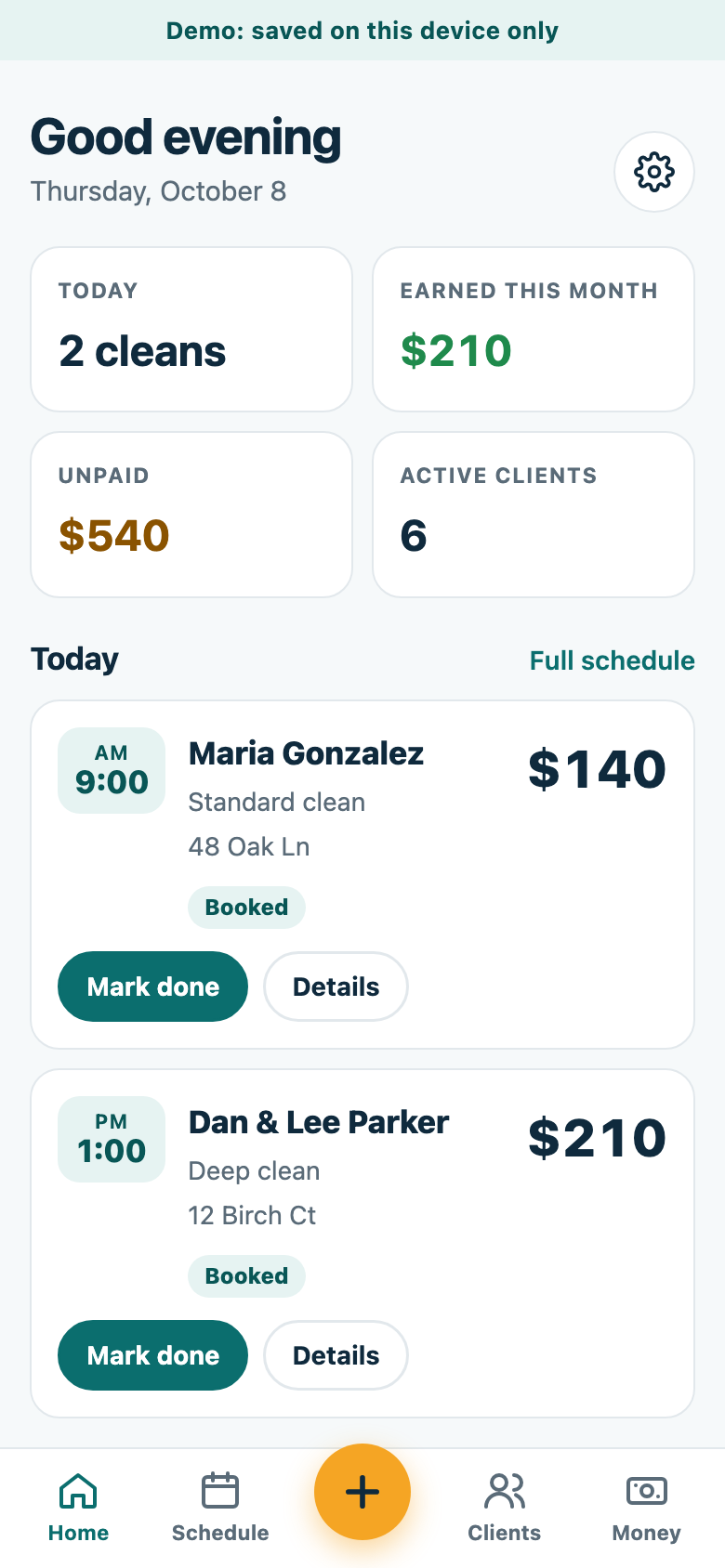
See it set up for your kind of work
Tap your trade to open the full app with sample clients and jobs. No account or card needed.
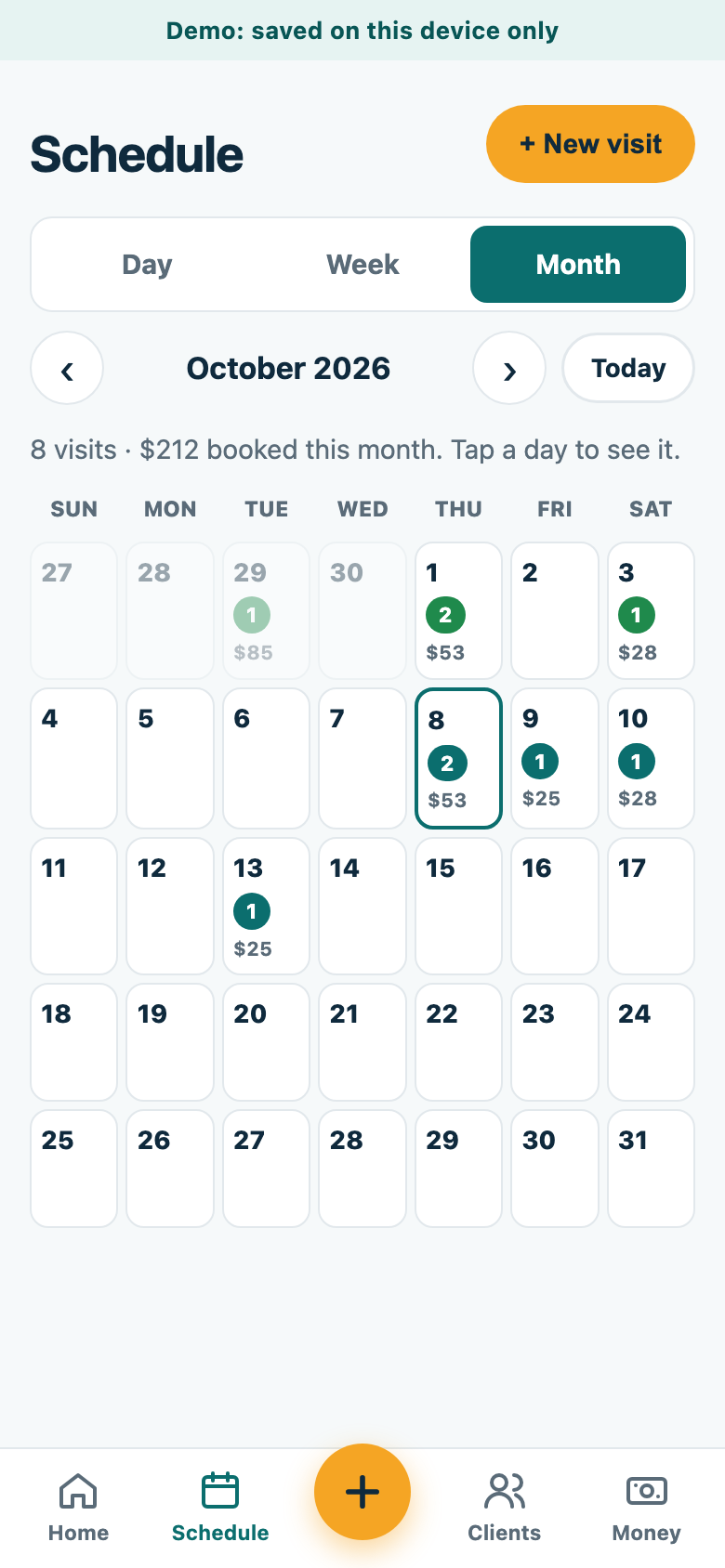
Your week, at a glance
Day, week, and month views with what each day is worth. Recurring clients book themselves.
- Repeat visits on autopilot
Weekly, every 2 weeks, monthly, and more. Finish a job and the next one is booked. - Plan your route
Put the day's stops in order and open them in Google Maps with one tap. - Nothing slips
Anything not marked done shows up first, so you can follow up.
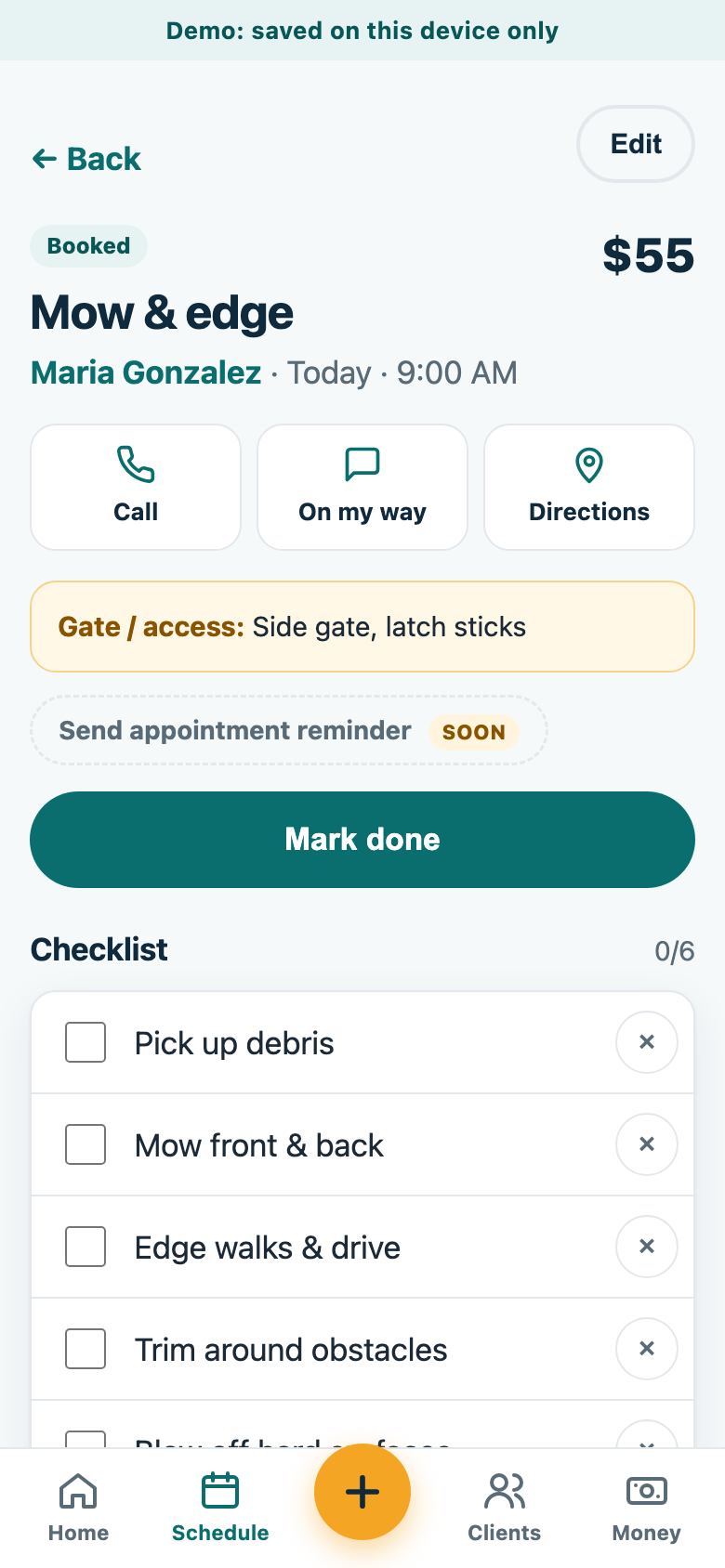
Everything you need at the door
Gate codes, pets, and notes up top, plus a checklist for the work and a timer for your time on site.
- Checklists
Starter lists for every trade. Save your own as the default for each service. - Before & after photos
Proof of great work if a client ever has a question. - “On my way” in one tap
Plus call and directions without hunting for the address.
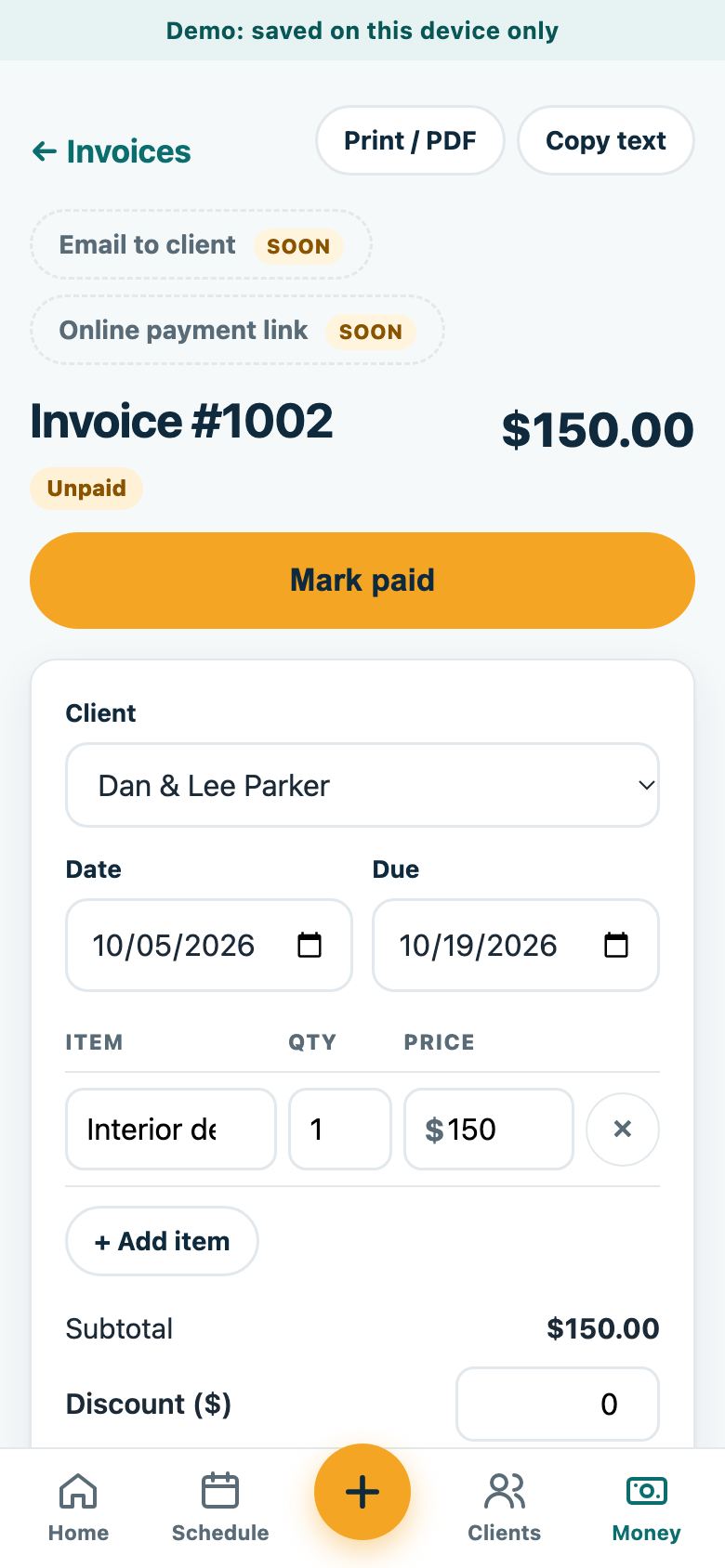
Look professional. Get paid faster.
Build quotes and invoices from your own services and prices. Add your logo, print or save as PDF, or copy the text into a message.
- Quotes that turn into jobs
When a client says yes, approve it and it's booked. - Invoice unpaid work in one tap
Pulls in every unpaid job for that client, with due dates and overdue alerts. - Tax and discounts
Set your default tax rate and payment terms once.
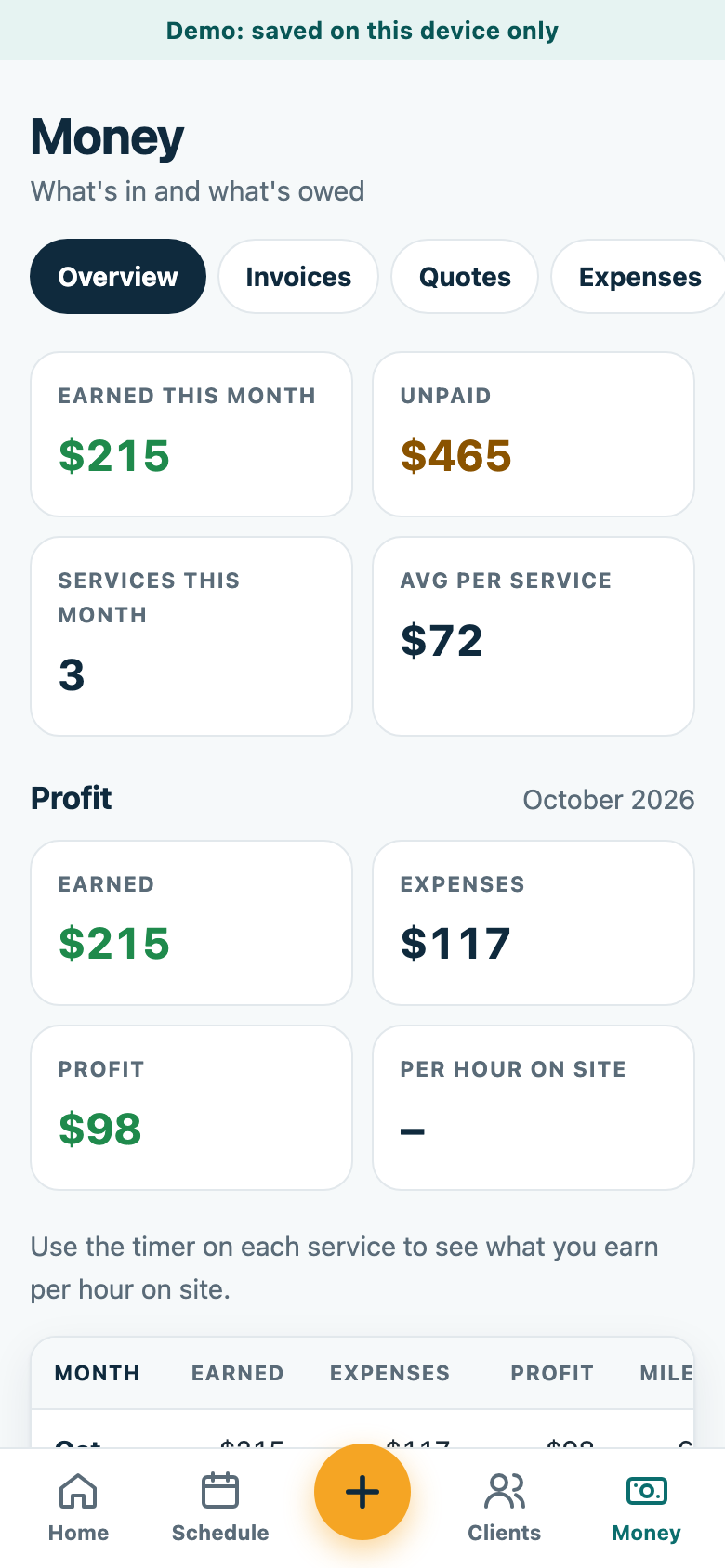
Know what you actually make
See who owes you, what came in, what you spent, and what you kept, month by month.
- Who owes you
Every unpaid balance in one list, with a ready-to-send text reminder. - Expenses & mileage
Log costs and business miles as you go. - Tax-time exports
Download income, expenses, and mileage as spreadsheets for your tax preparer.
Coming soon
Subscribers get these automatically as they're released.
- Email quotes and invoices straight to clients
- Client portal: clients see visits, approve quotes, and pay online
- Automatic appointment reminders by text and email
- Photos synced across your devices
- Team members with assigned jobs
One simple plan
Every feature, unlimited clients and jobs, on all your devices.
Monthly
$19 / month
Cancel anytime.
Yearly
$159 / year
Works out to $13.25 a month.
Create your account in the app, then subscribe through Gumroad. Already a subscriber? Sign in and paste your license key.
Questions
Do I need the spreadsheet templates too?
No. The app does everything the spreadsheets do and more, on your phone and computer. The spreadsheets are a one-time purchase for people who'd rather work in Excel or Google Sheets.
What does the free demo include?
The whole app with sample clients, jobs, quotes, and invoices for your kind of business. No account or card needed. The demo saves on that device only. When you subscribe, you can bring your demo data into your account.
Does it work on iPhone and Android?
Yes. It runs in your phone's browser, and you can add it to your home screen so it opens like a regular app. It also works on any computer, and your data syncs between them.
Is my clients' information private?
Yes. Your data is stored in your own account, and the database only lets your account read or change it. We don't sell your information. See our privacy policy.
How do I subscribe?
Create an account in the app, then tap Subscribe. Checkout is through Gumroad, monthly or yearly. Gumroad emails you a license key; paste it into the app once and you're in.
Can I cancel?
Yes, anytime from your Gumroad account. You keep access until the end of the period you paid for.
What if I do something other than cleaning?
The app sets itself up for your trade: services and prices, client details like gate codes or pet names, and even the words it uses. Pick “Something else” to set it up your own way.
Spend less time on paperwork
Try the app with sample data for your trade. It takes about a minute.